Short answer
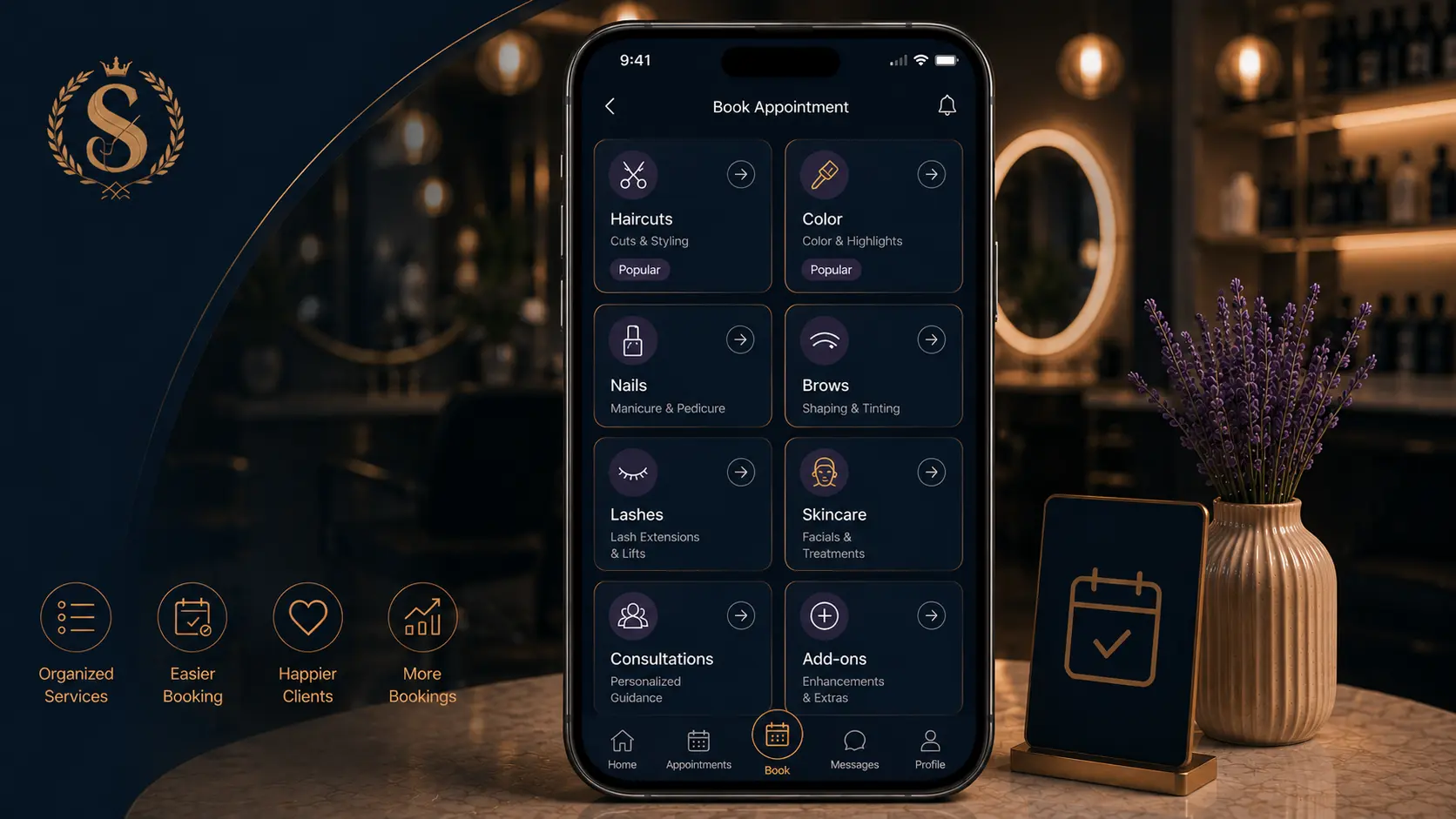
The best salon service categories are simple, client-facing groups that match how people think about booking. Use categories such as Haircuts, Color, Styling, Nails, Brows, Lashes, Skincare, Massage, Consultations, and Add-ons. Avoid categories that only make sense to staff, such as internal product lines, technical abbreviations, or staff-specific shorthand.
Good categories reduce scrolling, reduce wrong bookings, and make the client feel that the salon is organized before they ever arrive.
Who this is for
This guide is for beauty businesses that want clients to book online without needing to ask where a service belongs.
It is useful for salons with multiple service types, multi-staff teams, or a long menu that has become difficult to navigate.
Why categories matter in online booking
In a conversation, staff can guide the client. Online, the service menu has to do that work.
If the categories are unclear, clients slow down. They may choose the wrong service, message you anyway, or abandon the booking. This is especially common when salons list everything in one long menu.
Categories should help the client answer:
- What part of the service do I need?
- Is this the right appointment type?
- Should I book a consultation first?
- Is this an add-on or a full appointment?
Category principles
Use client language
Clients usually think in outcomes: haircut, color, nails, brows, facial, massage. They do not always think in technical method names.
For example:
- Better: "Hair color"
- Harder: "Chemical services"
- Better: "Brow shaping"
- Harder: "Brow architecture"
Keep categories short
Most salons do not need twenty categories. A smaller set is easier to scan.
Start with 5-9 categories and split only when the list becomes too long.
Put consultations in their own category
Consultations are often the safest place for complex services. If color correction, extensions, advanced skincare, or corrective work requires a conversation, make that clear.
A dedicated "Consultations" category prevents clients from booking a short standard service for something complicated.
Separate add-ons
Add-ons can be useful, but they should not clutter the main menu. If your booking flow supports add-ons, group them under "Add-ons." If it does not, include add-on notes in service descriptions or create a small number of clearly named combined services.
Suggested category sets by salon type
Hair salon
| Category | Example services |
|---|---|
| Haircuts | Cut + finish, fringe trim, children's cut |
| Color | Root retouch, gloss, highlights |
| Styling | Blowout, event styling, curls |
| Treatments | Conditioning treatment, scalp treatment |
| Consultations | Color consultation, extension consultation |
Nail salon
| Category | Example services |
|---|---|
| Manicure | Classic manicure, gel manicure |
| Pedicure | Classic pedicure, spa pedicure |
| Gel and BIAB | BIAB infill, gel removal + reapply |
| Nail art | Simple art, detailed art |
| Add-ons | Removal, repair, French finish |
Brow, lash, and beauty studio
| Category | Example services |
|---|---|
| Brows | Shaping, tint, lamination |
| Lashes | Lift, tint, extensions |
| Waxing | Face waxing, body waxing |
| Makeup | Event makeup, trial makeup |
| Consultations | First-time brow or lash consultation |
Skincare or aesthetics studio
| Category | Example services |
|---|---|
| Facials | Express facial, custom facial |
| Peels | Light peel, consultation-required peel |
| Treatments | LED, extraction, hydration treatment |
| Consultations | First visit, treatment plan |
| Follow-up | Review, maintenance visit |
Example: category setup in Styloving
In Styloving, each service can be assigned a category. A small salon can start simple:
1. Add categories that match the main service areas. 2. Add services under each category with duration and price. 3. Assign services to the staff members who can perform them. 4. Keep inactive services hidden until they are ready. 5. Test the booking link as if you are a first-time client.
This keeps the public booking flow cleaner because clients see the menu in a more natural order, and staff availability can still be controlled behind the scenes.
Category checklist
- Each category has a clear client-facing name.
- The category list fits on a mobile screen without feeling endless.
- Consultations are easy to find.
- Add-ons do not overwhelm the main services.
- Popular services are near the top.
- Technical terms are explained in descriptions, not category names.
- Staff-only logic stays inside the admin setup.
- The booking flow has been tested on mobile.
FAQ
Should salons create categories by staff member?
Usually no. Staff assignment should happen in the booking system, not in the category name. Categories should help clients choose the service first.
What if one service fits two categories?
Choose the category clients are most likely to look under. If needed, mention the related service in the description instead of duplicating it.
Should prices be different by category?
Prices should be attached to services, not categories. A category is only a navigation tool.