Short answer
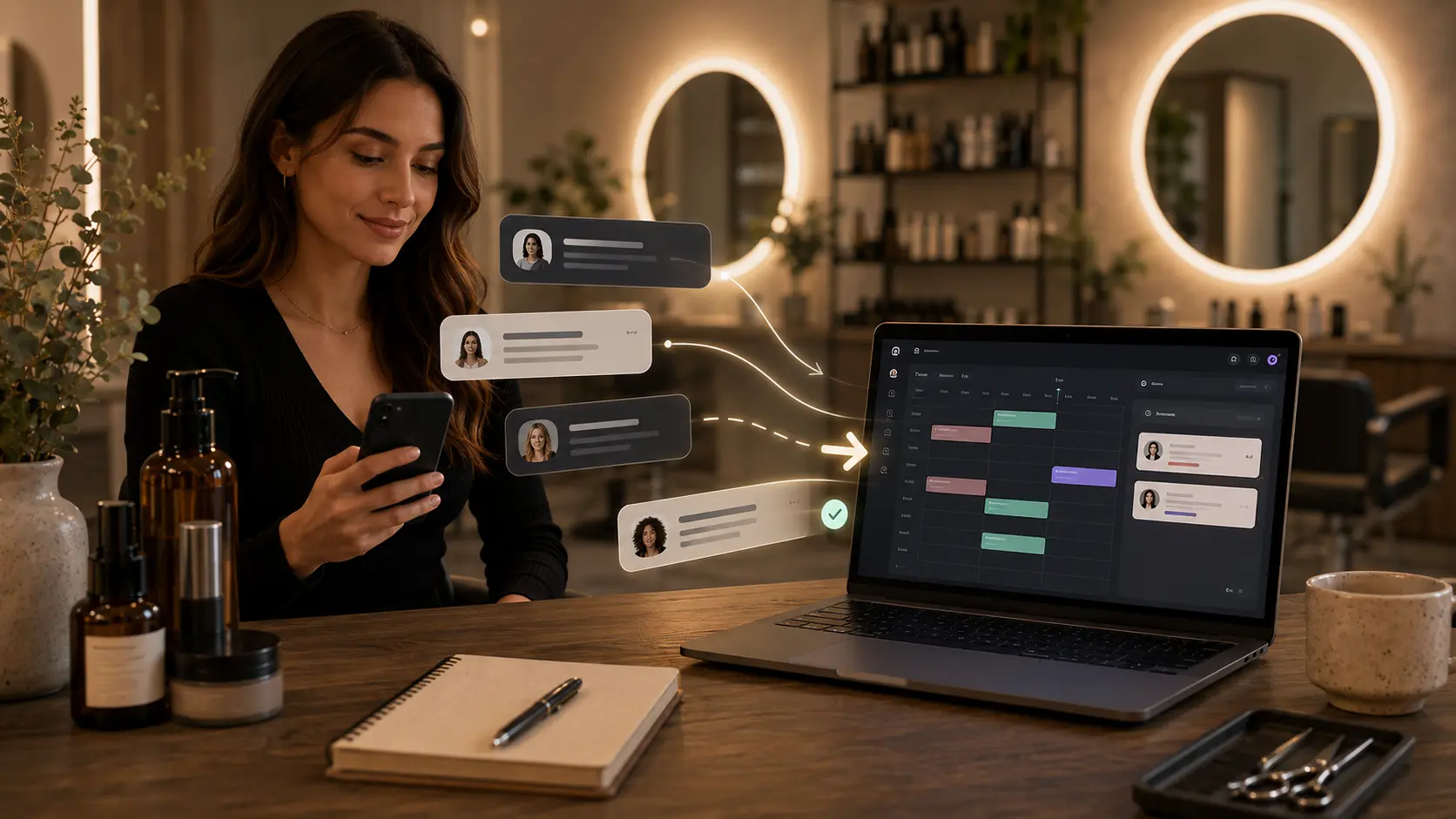
Instagram DMs are good for conversation, but they should not be the final place where appointments live. The best workflow is to answer questions in DMs, then move the confirmed booking into a booking link or calendar system.
That keeps Instagram personal without turning it into your salon's front desk, calendar, reminder tool, and client record system.
Who this is for
This guide is for salon owners, barbers, nail artists, lash technicians, brow artists, and skincare professionals who get real booking inquiries from Instagram.
It is especially useful if clients ask "what times do you have?" while you are working, driving, packing products, or trying to focus on another client.
Why Instagram booking gets messy
Instagram is built for conversation and discovery. It is not built to protect appointment times.
That creates problems when booking volume grows:
- availability gets checked manually
- clients do not always reply quickly
- service duration is unclear
- staff preference gets missed
- reminders have to be sent manually
- client notes stay buried in old threads
- the owner forgets who confirmed and who only asked
The fix is not to stop answering DMs. The fix is to separate conversation from confirmation.
The simple Instagram DM booking workflow
Use this four-step flow.
1. Keep DMs for questions
Use DMs when a client needs advice, wants to ask about a service, sends inspiration photos, or is not sure what to book.
This keeps the salon feeling human. Clients still feel heard.
2. Use saved replies for common questions
Create saved replies for:
- price questions
- service recommendations
- new-client questions
- "do you have anything today?"
- cancellation policy
- booking link instructions
Saved replies prevent rushed answers and keep the tone consistent.
3. Send the booking link when the client is ready
Once the client knows the service, send the booking link.
Example:
Yes, that sounds like the right service. Please book through this link so you can see the available times and receive confirmation: [your booking link]
If the client still needs help, recommend the exact service first.
Example:
For what you described, I would choose Gel manicure with removal. You can book that here and pick the time that works best: [your booking link]
4. Keep final appointment details out of DMs
The confirmed appointment should live in your booking system, not only in the chat thread.
That way the calendar has the service, time, staff member, client details, and reminders attached.
Keep the human touch where it matters
Moving bookings out of DMs should not make the salon feel cold. Clients still want to feel that a real person cares, especially when they are choosing a new service, asking about price, or feeling unsure before booking.
The goal is to use automation for the repetitive parts and human replies for the trust-building parts. Let the booking link handle times, staff, confirmation, and reminders. Use your attention for the moments where a client needs reassurance.
Styloving follows the same idea with salon owners. The product helps organize bookings, but there is also a human support path through admin@styloving.com for owners who need help setting up their booking flow or deciding how to move clients from messages into confirmed appointments.
Instagram bio setup checklist
Your Instagram profile should make booking obvious.
- Put the booking link in bio.
- Use a clear button or link label like "Book appointment."
- Add a story highlight called "Book."
- Pin a post or reel that explains how to book.
- Mention "Book through the link in bio" in captions when relevant.
- Use saved replies that point to the same link.
- Keep services and prices consistent with your booking page.
The goal is to train clients gently. They can still DM, but they learn where final bookings happen.
Example workflow in Styloving
In Styloving, the salon sets up services, staff working hours, prices, and durations. Then it shares one public booking link in Instagram bio and saved replies.
A client can still ask a question in DMs. But once they are ready, the salon sends the link. The client chooses the service, date, time, and staff preference, then receives confirmation. The appointment appears in the dashboard calendar.
This lets Instagram stay useful for trust and conversation while Styloving handles the structured booking details.
Copyable DM templates
When a client asks for availability
The easiest way to see my available times is through the booking link here: [link]. If you are not sure which service to choose, send me a photo or tell me what you need and I will guide you.
When a client asks for a price
The price depends on the service, but you can see the current service list here: [link]. If you are unsure which option fits, tell me what result you want and I will point you to the right one.
When a client wants to book through messages
I can help you here, but final bookings go through the link so the time is reserved and you receive confirmation: [link].
When a client has not replied
Just checking in. I cannot hold the time through DMs, but you can book any available slot here when you are ready: [link].
What not to do
Avoid these common mistakes:
- holding appointment times manually in DMs
- accepting vague bookings like "sometime Friday"
- asking clients to scroll through a long service list without guidance
- giving prices in DMs that do not match your booking page
- relying on memory for repeat client preferences
- using Instagram as the only appointment record
Small mistakes in DMs become bigger problems when the week gets busy.
FAQ
Should salons stop taking bookings through Instagram DMs?
Not completely. DMs are useful for questions and trust. The confirmed appointment should move into a booking system so the time, service, staff, and reminders are clear.
What should I put in my Instagram bio for booking?
Use a direct booking link with a clear label. Avoid vague labels if most people are trying to book quickly.
What if clients still want to book by message?
Answer them politely, recommend the right service if needed, and send the booking link for the final confirmation. Consistency is what changes the habit.