Short answer
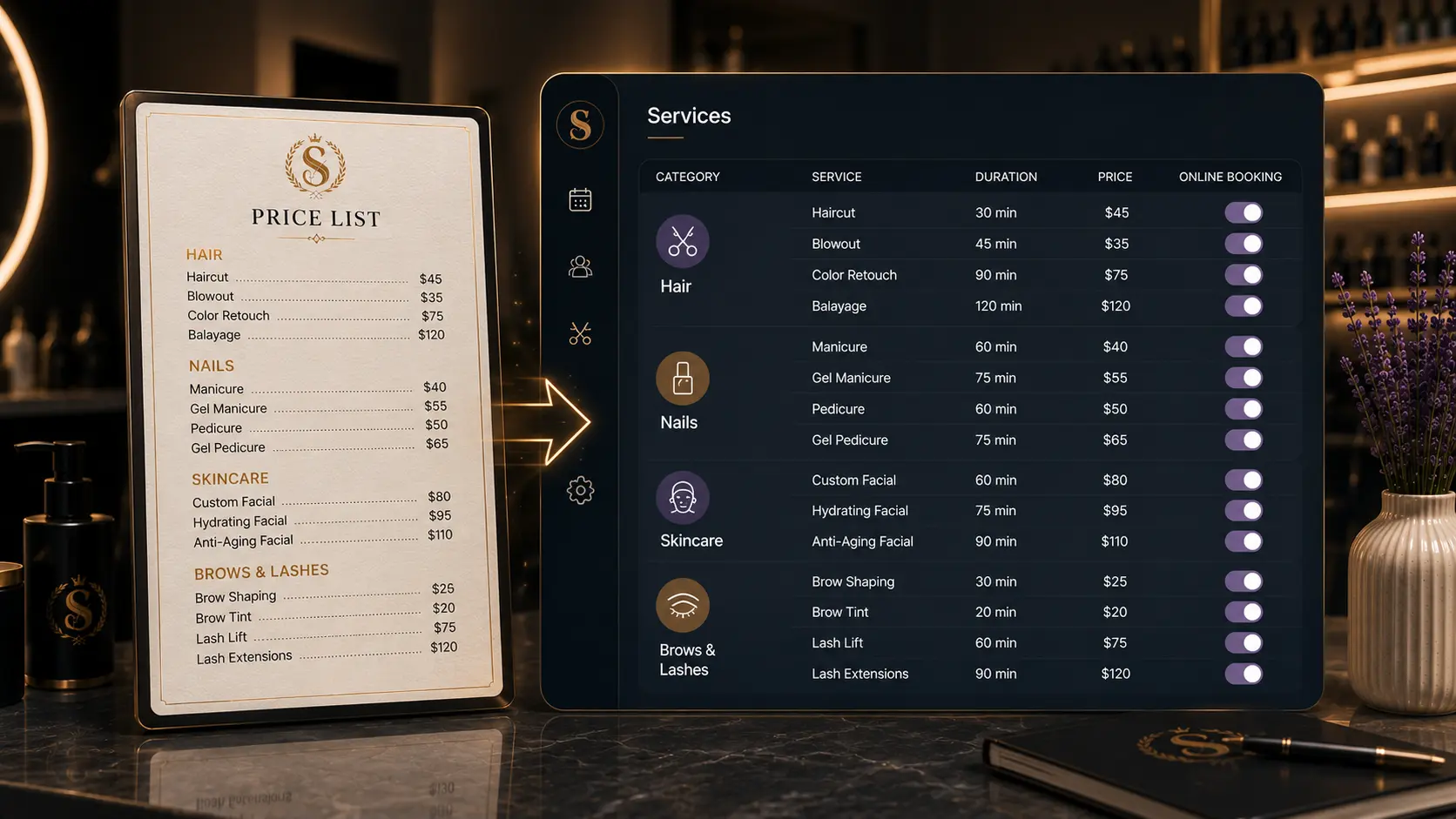
A good beauty salon price list for online booking should include service name, category, duration, price, short description, staff eligibility, and whether the service can be booked online. A price list that only shows names and prices may work on paper, but online booking also needs time and availability rules.
The template below helps you turn a basic price list into bookable services.
Who this is for
This guide is for salon owners and beauty professionals setting up or cleaning up an online booking system.
It is useful if your current price list lives in Instagram highlights, a PDF, a website page, a photo, a spreadsheet, or a printed menu.
Why a booking price list needs more detail
A normal price list helps a client understand cost. A booking price list has to do more.
It needs to help the system and the client understand:
- Which category the service belongs to.
- How long the appointment takes.
- Which staff members can perform it.
- Whether the service is safe to book without a consultation.
- Whether the price is fixed or starts from a minimum.
If those details are missing, the salon still has to fix appointments manually after clients book.
Price list template
Use this table as a working structure:
| Field | What to write | Example |
|---|---|---|
| Category | Client-facing service group | Hair color |
| Service name | Clear booking name | Root retouch |
| Description | Short explanation | Maintenance color for existing clients |
| Duration | Calendar time needed | 90 minutes |
| Price | Fixed or starting price | 120 |
| Staff | Who can perform it | Mia, Ava |
| Online booking | Yes, no, or consultation first | Yes |
| Notes | Internal setup notes | Not for color correction |
Copy this into a spreadsheet or document before importing it into your booking software.
Example beauty salon price list
| Category | Service | Duration | Price | Online booking |
|---|---|---|---|---|
| Haircuts | Cut + styling | 45 min | 65 | Yes |
| Hair color | Root retouch | 90 min | 120 | Yes |
| Hair color | Color correction consultation | 30 min | 0 | Consultation |
| Nails | Gel manicure | 60 min | 48 | Yes |
| Nails | Gel removal + manicure | 75 min | 58 | Yes |
| Brows | Brow shape + tint | 30 min | 35 | Yes |
| Skincare | Custom facial | 60 min | 85 | Yes |
Adjust the example prices to match your market before using the table as your salon's final public price list.
How to prepare your price list for online booking
1. Start with your real services
Do not build the online menu from memory. Pull from your current price list, booking app, website, Instagram, and manual appointment notes.
2. Remove services that should not be bookable yet
Some services are not ready for online booking. That is fine. Mark them as "consultation first" or "not online" until the rules are clear.
3. Make names client-friendly
Use the words clients use when they ask for the service. If the technical term matters, put it in the description.
4. Add duration before importing
Duration is the detail many paper price lists miss. Without it, online booking cannot protect the calendar.
5. Decide whether prices are fixed or starting from
If a service varies heavily, use "from" pricing in the description or require consultation first. Do not let clients book a low starting price for a service that often needs more work.
Example: using a price list in Styloving
In Styloving, a salon can create services manually or use AI import to help structure an existing price list. The owner can review service names, categories, prices, and durations before saving them.
That review step matters. AI can speed up typing and structure, but the salon owner should still confirm every price and duration before clients can book.
Copyable template
Category:
Service name:
Client description:
Duration:
Price:
Price note:
Staff who can perform it:
Can clients book online? yes/no/consultation first
Internal notes:
Price list review checklist
- Every service has a category.
- Every bookable service has a duration.
- Every service has a price or clear "from" price.
- Complex services are marked consultation first.
- Add-ons are not mixed randomly into the main list.
- Staff eligibility is clear.
- Client-facing descriptions are short.
- Old or seasonal services are hidden until needed.
- A test booking has been completed after setup.
FAQ
Can I use the same price list for print and online booking?
You can use the same core information, but online booking needs extra fields such as duration, staff eligibility, and booking rules.
Should I show "from" prices online?
Yes, if the final price varies. Make it clear when the price is a starting point, and consider requiring consultation for services that vary widely.
Should consultation be free?
That depends on your salon. The important thing is to list consultation duration and booking rules clearly, whether the price is free or paid.